

In-App FeedbackTriggersAutomatic Trigger
On-Page Delay
Add a short delay after the launch condition is met
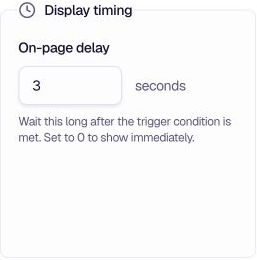
On-Page Delay waits a set number of seconds after the selected launch condition is met. Set it to 0 to show the form immediately.
When to use
- User orientation — Give users a moment to understand the page before asking for feedback.
- Smooth display — Let the surrounding interface settle before the form appears.
- Less interruption — Add a short pause when immediate display would feel abrupt.
- Immediate display — Set to 0 when you want the form to show as soon as the trigger condition is met.
Configuration
On-page delay — Enter the number of seconds to wait after the trigger condition is met. Set it to 0 to show immediately.
How it differs from Delayed Launch
| Setting | What it controls |
|---|---|
| Delayed Launch | Starts its timer from a selected user milestone, such as session start or entering the target audience. |
| On-Page Delay | Adds seconds after the configured launch condition has been met. |
Both can be used together. The delayed launch condition is evaluated first, followed by the on-page delay.
Tips
- Start with 2–3 seconds — This is often enough to soften the interruption without making the form feel late.
- Use 0 for event triggers — When triggering on a Tracked Event (e.g. purchase), the user has already acted; a page delay may not be needed.
- Test on slow connections — Ensure the delay doesn't feel excessive when the page loads slowly.
Related
- Immediate Launch — Show the form right away when conditions are met
- Delayed Launch — Delay from user action
- Page Visit Launch — Trigger on page visits
Was this page helpful?