
Feedback Links
Share feedback forms via shareable links
Shareable links let you send your feedback form to anyone, even if they're not using your app. Great for support follow-ups, email campaigns, or beta tester outreach.
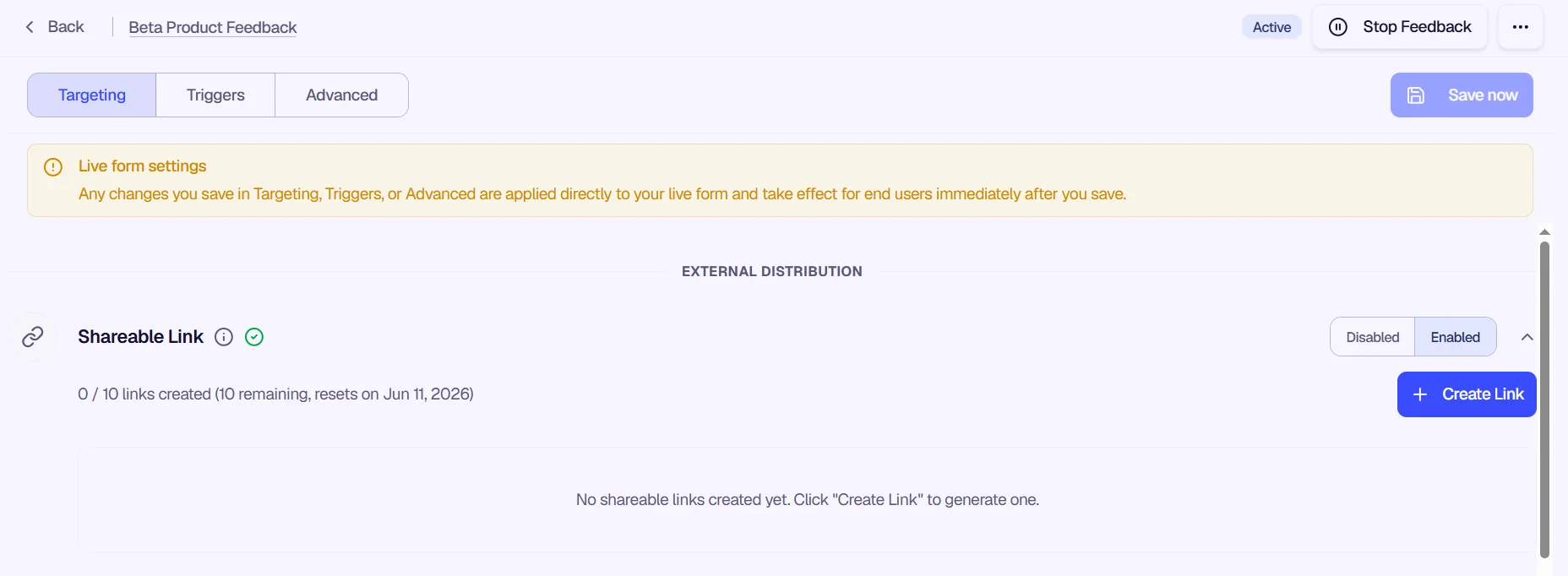
How to use Shareable Link
- Open the Targeting tab and find the Shareable Link section under External Distribution.
- Toggle Enabled to turn on shareable links.
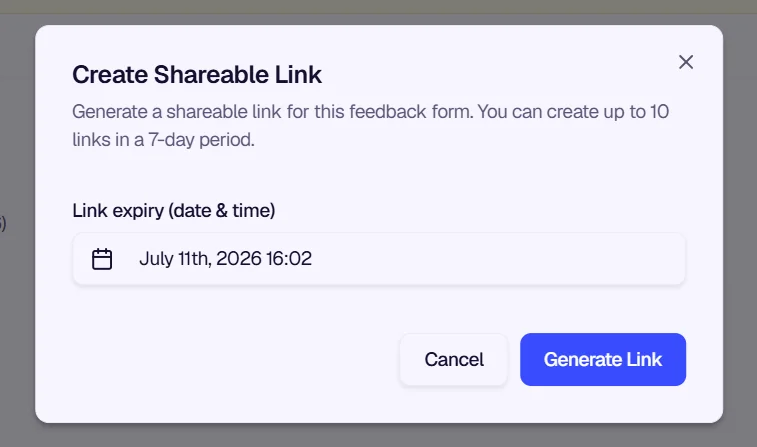
- Click + Create Link to open the Create Shareable Link modal.
- Set a Link Expiry Date (optional). The link expires at 11:59 PM on the selected date. Maximum 3 months from today.
- Click Generate Link to create the link. You can create up to 10 links in a 7-day period.
- Copy and share the link wherever you need—email, chat, social media, or support tickets.
Was this page helpful?