

Advanced Options Overview
Fine-tune your feedback forms with API keys, scheduling, limits, and more
The Advanced Options tab offers fine-grained control over feedback form behaviour. It allows you to restrict which environments or API keys can trigger a form, define visibility windows, cap submissions, preserve partial responses, and manage exposure over time. Each option can be enabled or disabled independently.
Overview
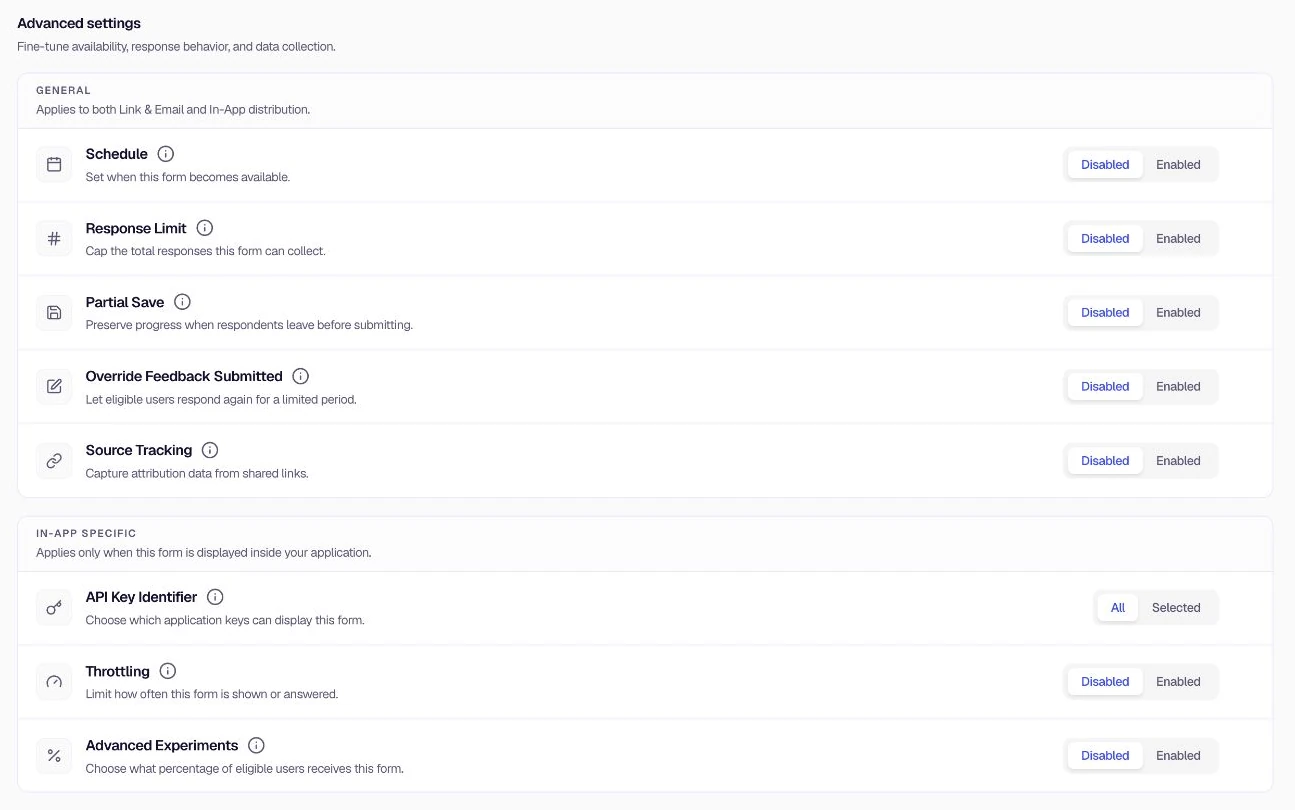
Open Distribution, then select Advanced Options. Eight options are available, each with its own toggle and settings. Most are disabled by default.
The page groups settings by where they apply:
- General — Schedule, Response Limit, Partial Save, Override Feedback Submitted, and Source Tracking. These apply to both Link & Email and In-App distribution.
- In-App specific — API Key Identifier, Throttling, and Advanced Experiments. These apply only when the form is displayed inside your application.
For an already published form, the Live form settings banner warns that saved changes under In-App, Link & Email, or Advanced Options are applied directly to the live form and take effect for end users immediately.
Available options
Use the sidebar or the links below to open the doc for each option:
- API Key Identifier — Restrict the form to specific environments or apps
- Schedule — Show the form only during a date range
- Response Limit — Cap total submissions
- Partial Save — Save incomplete responses and optionally auto-complete them
- Override Feedback Submitted — Let users edit responses after submission
- Throttling — Limit views and responses over time (globally or per user)
- Advanced Experiments — Choose what percentage of eligible users receive the form
- Source Tracking — Capture UTM tags and click IDs from the page URL with each submission
Quick reference
| Feature | Use when you want to… |
|---|---|
| API Key Identifier | Restrict the form to specific environments or apps |
| Schedule | Show the form only during a date range |
| Response Limit | Cap total submissions |
| Partial Save | Save incomplete responses and optionally auto-complete them |
| Override Feedback Submitted | Let users edit responses after submission |
| Throttling | Limit views and responses over time (globally or per user) |
| Advanced Experiments | Roll the form out to a percentage of eligible users |
| Source Tracking | Store UTM and click-ID query parameters with each response |
Was this page helpful?