

Advanced Options
Schedule
Define a visibility window for your feedback form
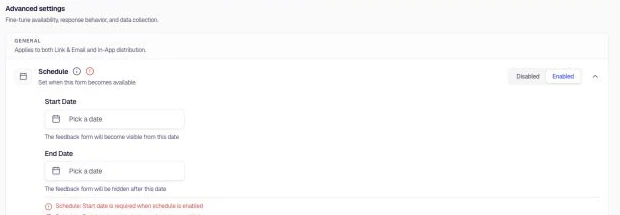
Schedule defines a visibility window for the feedback form. The form becomes visible from the start date and is hidden after the end date. This is useful for time-bound campaigns, seasonal surveys, product launches, or when you want to limit feedback collection to a specific period.
When to use
- Running a limited-time campaign or survey
- Collecting feedback during a product launch or beta period
- Seasonal surveys (e.g. end-of-year feedback)
- Event-specific feedback (e.g. during a webinar or conference)
Configuration
- Go to Distribution → Advanced Options and locate Schedule.
- Toggle to Enabled.
- Set Start Date — the feedback form will become visible from this date and time (e.g. January 1st, 2026 00:00).
- Set End Date — the feedback form will be hidden after this date and time (e.g. March 31st, 2026 00:00).
- Use the calendar picker next to each field to choose dates and times.
Was this page helpful?